
Build the form, then say who approves what
Drag fields onto the page, set the rules, publish. Every submission lands as a row in a table and opens a tracked request that goes to the right person.
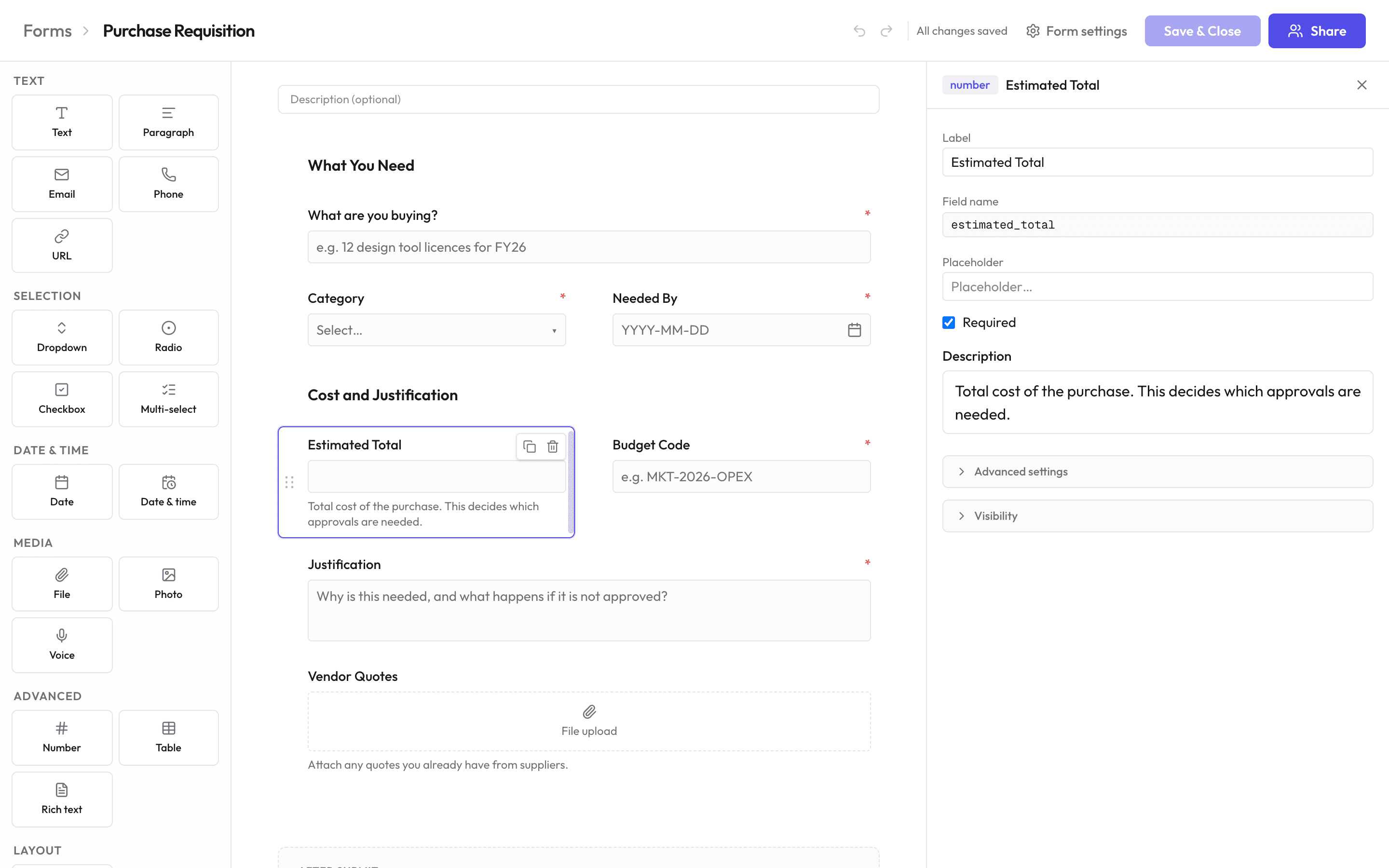
- 18 field types
- Text, numbers, dates, dropdowns, file uploads, photo and voice capture, plus repeating tables for line items.
- Show and hide questions
- Any field, or a whole section, based on what someone already filled in. No formulas to write.
- Dropdowns fed by your own data
- Options come from your tables, your users or your teams, so a cost-centre list is never out of date — and a picker that stores the row id writes a real link, not a copy of a label.
- Public links, QR codes, embeds
- Share it without an account on the other end. Links can be single-use, or expire on a date you set, and uploads work anonymously.
- Submissions land somewhere on purpose
- A form owns its own record table, or writes into one you already have with the mapping stated field by field. Either way the answers are rows you can filter, chart and build a page over.
Templates that use it
- FormPublic FormA public, no-login form anyone can submit via a shared link. Collects a submission and closes, with no review or approval.
- FormClient EnquiryA public enquiry form that reads the budget and sends the big ones straight to the founder.
- FormOne-Stage ApprovalA minimal request → review → approved/rejected workflow. The simplest possible approval pattern, ready to publish as-is.
What it does not do
- No multi-page forms and no save-and-resume. A long form is one page with sections you can show and hide.
- Custom form themes are not shipped. App-level branding is, on the enterprise plan.