
One app, not eleven loose things
A table here, a form there and a spreadsheet somebody emails around is how most internal processes actually run. An app is the container that makes those one thing: one sidebar, one set of rows, one list of people who can see it.
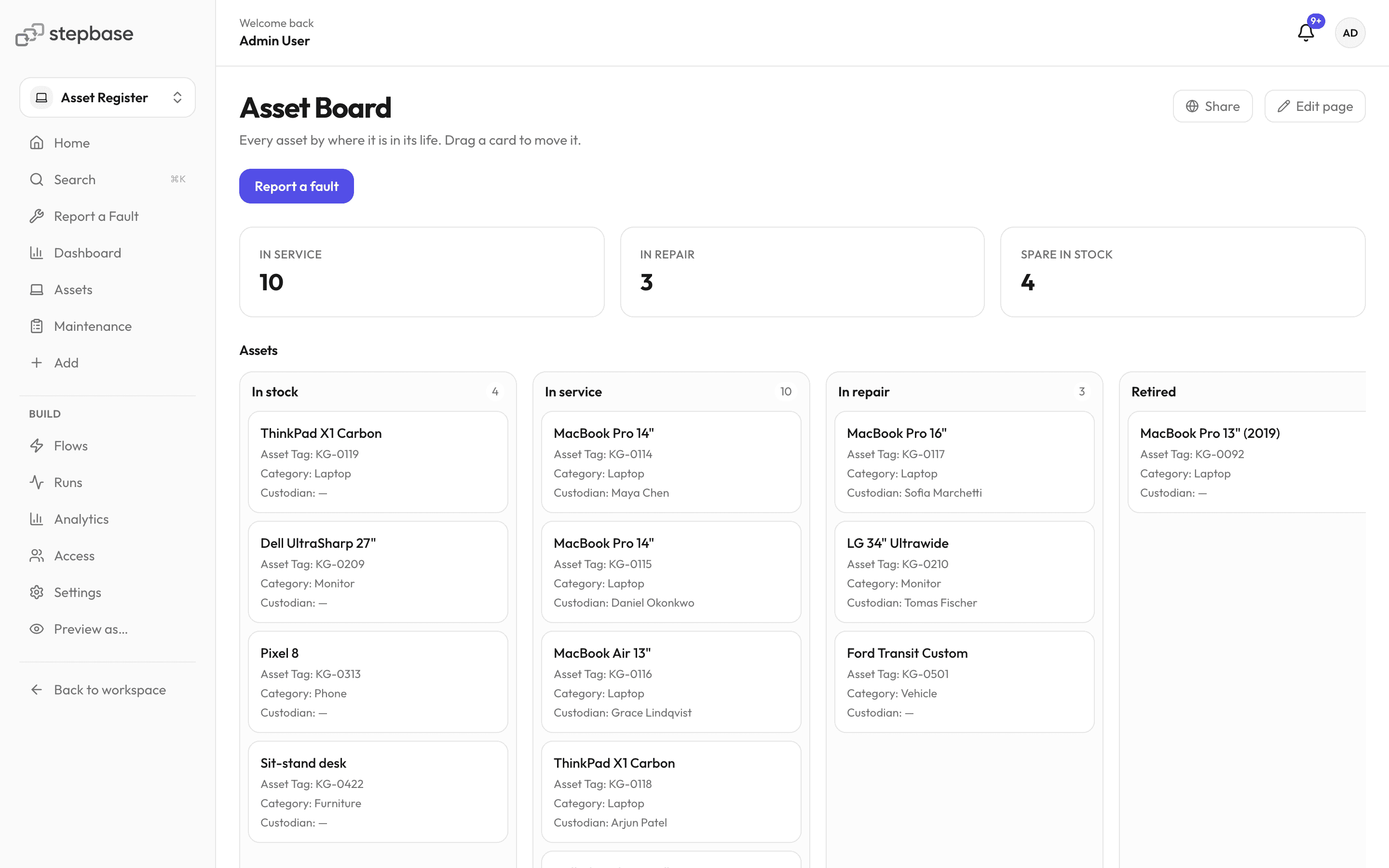
Asset Register
- A sidebar you decide
- Point entries at a page, a table, a saved view or a form, group them under headings, and hide the ones only builders need. The app opens on the home page you name.
- Access granted per app
- Someone is a viewer, a member or a builder of this app — not of everything anyone has ever built. Grant it to a person or a team; workspace admins see everything by design.
- Preview as somebody else
- Look at the app as a viewer or a member before you hand it over, so you find the empty grid yourself rather than hearing about it.
- Publish, and share what should be shared
- Publish when it is ready. Individual pages can go out on a public link, workspace-branded and read-only, with the forms on them open to people who have no account.
- Start from a whole one
- An app template arrives with its tables, pages, boards and Flows wired together. Export yours the same way and add it to another workspace.
Templates that use it
- AppAsset RegisterEvery laptop, monitor and desk the company owns: who has it, where it is, and what it has cost since.
- AppPurchasingPurchase requisitions routed by spend threshold through department, finance and executive approval, then tracked as purchase orders against a register of approved vendors.
- AppCRMCompanies, the people in them, what you sell, the deals in play, plus the subscriptions, renewals and approvals that come after you win.
What it does not do
- Public pages are read-only. A visitor gives you something through a form, which is the one anonymous write path in the product.
- There is no per-app custom domain. Public links are stepbase URLs with your workspace's branding on them.